
XBTZGUSB
Product ID:36899
Updated: 2026/10/20
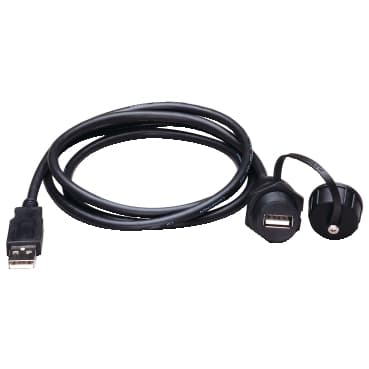
Key Features
- 1Relocate the USB port remotely to the rear of your HMI terminal.
- 2Ensure compatibility with HMIGTO, HMISTU, HMISTO, and XBTGT series panels.
- 3Connect seamlessly using the integrated USB Type A connector.
- 4Place the connection conveniently with the 1-meter cable length.
- 5Meet RoHS, REACH, and WEEE environmental compliance standards.
Need a quote? Enter your quantity and get pricing fast.
Qty
Technical Specifications
Detailed engineering parameters
| Parameter | Value | Parameter | Value |
|---|---|---|---|
| Range of Product | Harmony XBT | accessory / separate part category | Protection accessories |
| accessory / separate part type | Remote USB port | Accessory / separate part designation | Remote USB port |
| Accessory / separate part destination | 3.5" small touch screen panel<br />Advanced panel<br />3.4" small touch screen panel | Cable length | 3.3 ft (1 m) |
| Product Compatibility | XBTGT6...<br />XBTGT1..5<br />XBTGT4...<br />XBTOT...<br />XBTGT7...<br />XBTGT2...<br />XBTGK....<br />HMISTO<br />HMIGTO<br />XBTGT5...<br />XBTGTW...<br />HMISTU | Connector Type | USB type A |
| Net Weight | 0.49 lb(US) (0.22 kg) |
Specifications may be subject to change without notice
Still deciding on XBTZGUSB?
Our engineers can confirm stock, price, and lead time for this schneider part.
Get a no-obligation quote in 1 minute.